CCT — Competitive Track
A design pilot for learning beyond the grade-level syllabus, connecting a student's baseline, targeted practice and competitive-style mock examinations.
Two different learning horizons
Class Mastery Track stays within the student's current grade and syllabus. Competitive Track has no strict syllabus boundary: it is a place to explore higher-grade concepts and develop readiness for competitive examinations over time.
The distinction matters because an open-ended curriculum needs a way to answer not only ‘what can I study?’ but ‘what should I do next?’
Class Mastery
Bounded by the current grade syllabus; progress means mastering what is taught now.
Competitive Track
Open-ended across concepts and levels; progress means building toward future examination readiness.
The gap beyond the classroom
Some schools may not have specialist teachers, advanced question banks or dedicated resources for foundation-year competitive preparation. A student ready to stretch beyond the syllabus can be left without a clear next challenge or useful feedback.
Readiness begins earlier
The larger vision was to support progressive preparation from as early as Grade 6, rather than treating competitive exams as a last-minute sprint. The design question was how to make advanced learning navigable without locking every student into the same rigid sequence.
AI-assisted tutoring was part of the intended support for unfamiliar concepts, especially where specialist teaching might not be available. Its educational effectiveness was not tested in this pilot.
An experience, not four disconnected features
The Dashboard acts as a command centre. An initial Diagnostic would establish a baseline; Practice and Mock are the ongoing ways to learn and assess. Insights from each activity are intended to return to the Dashboard as a more useful next action.
Diagnostic is an entry point and baseline, not a permanent primary module in the learning loop.
Experience Model
Dashboard → Initial diagnostic → Practice → Mock → Review → Next action
Make the next move legible
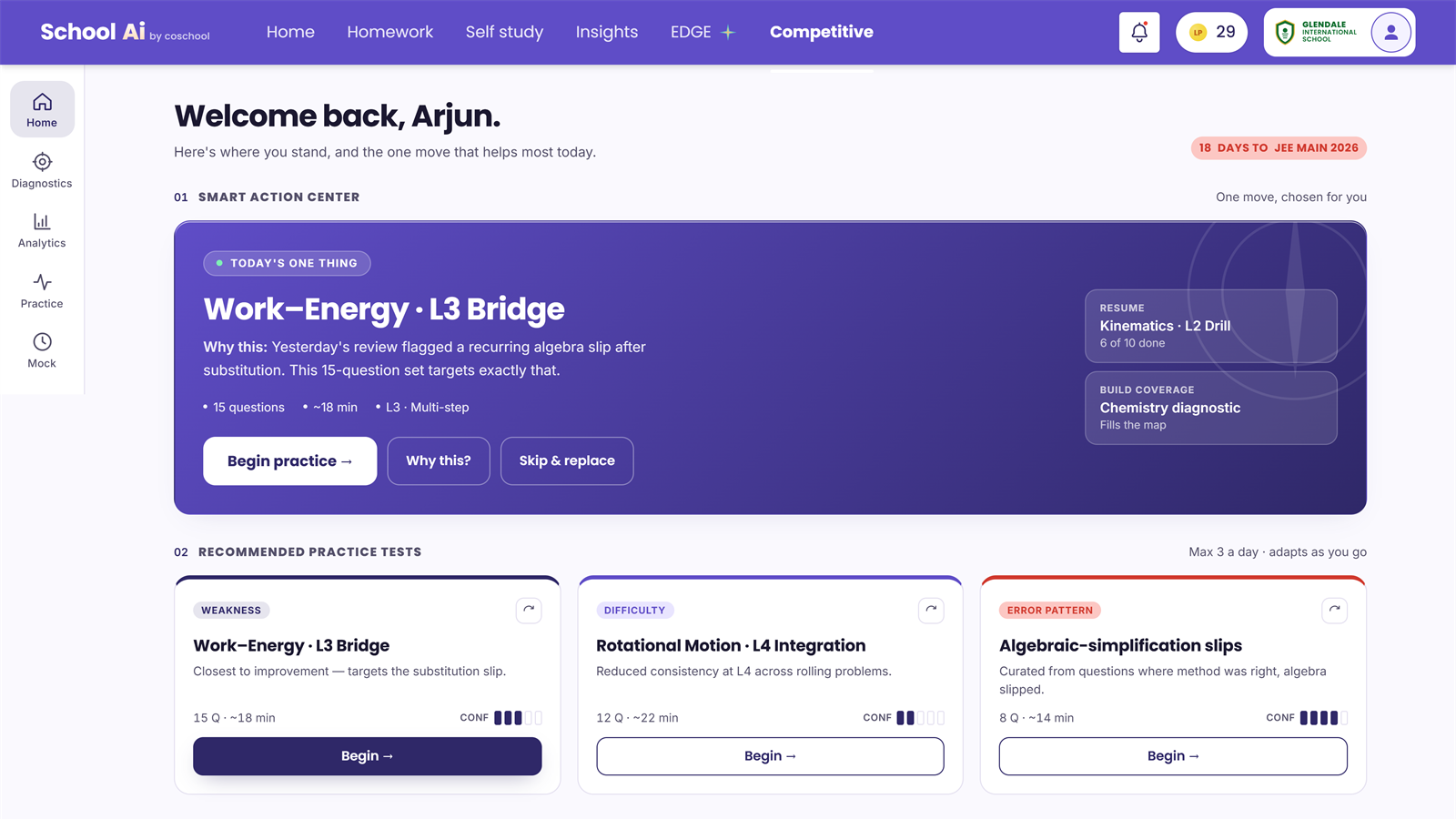
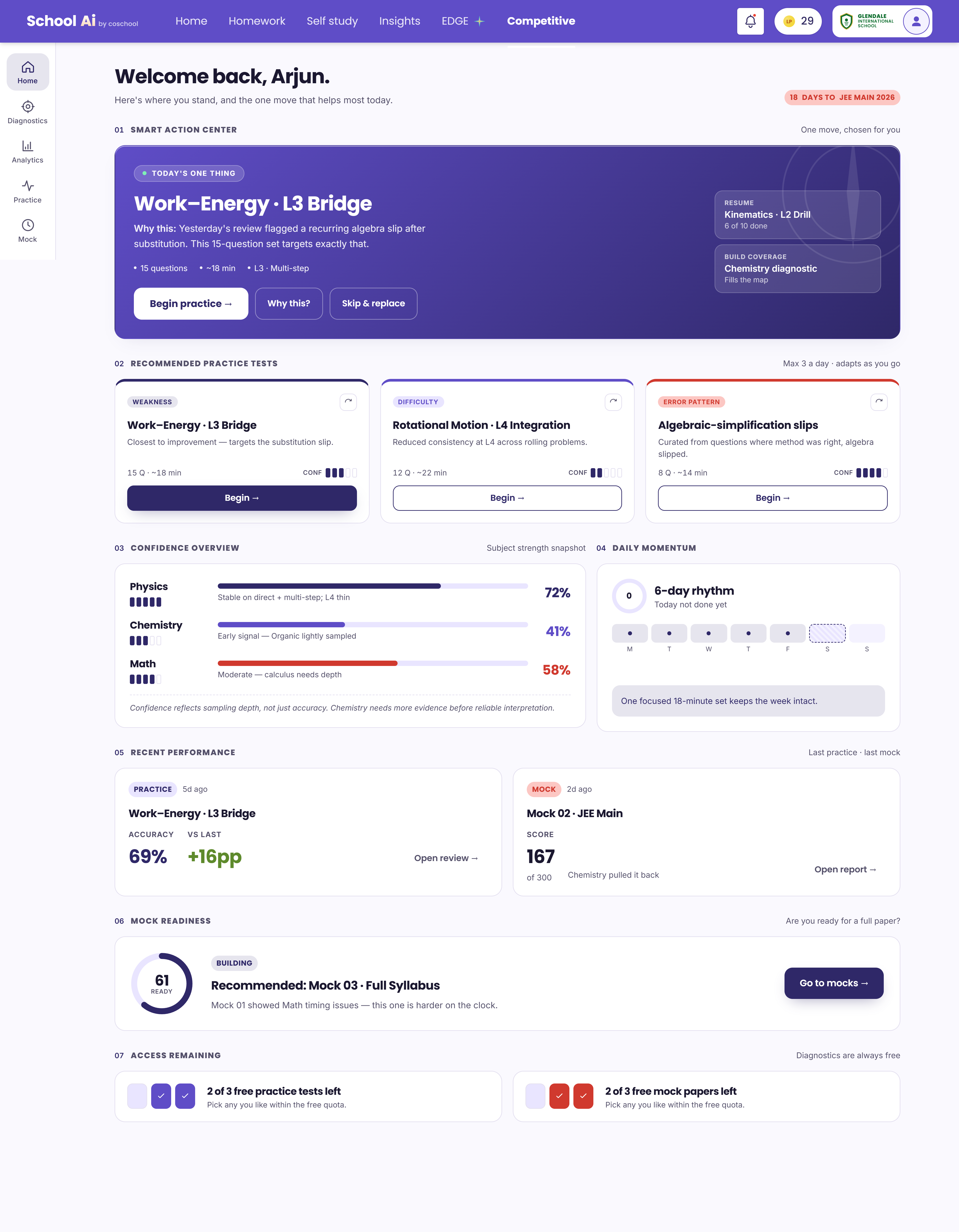
The dashboard screen brings together a single recommended action, three practice suggestions, subject confidence, recent performance and mock readiness. Its job in the pilot is to turn dispersed learning signals into a decision the student can take now.
The ‘why this?’ action beside the recommended set makes the recommendation's rationale visible rather than treating guidance as a black box. Performance and confidence remain separate signals; the screen itself notes that confidence is not accuracy.
Establish a starting point
The intended Diagnostic would help identify a student's starting strengths and gaps before recommending work at the right depth. Unlike Practice or Mock, it is conceived as an initial baseline, not a primary destination to revisit every day.
Freedom, with a reason to begin
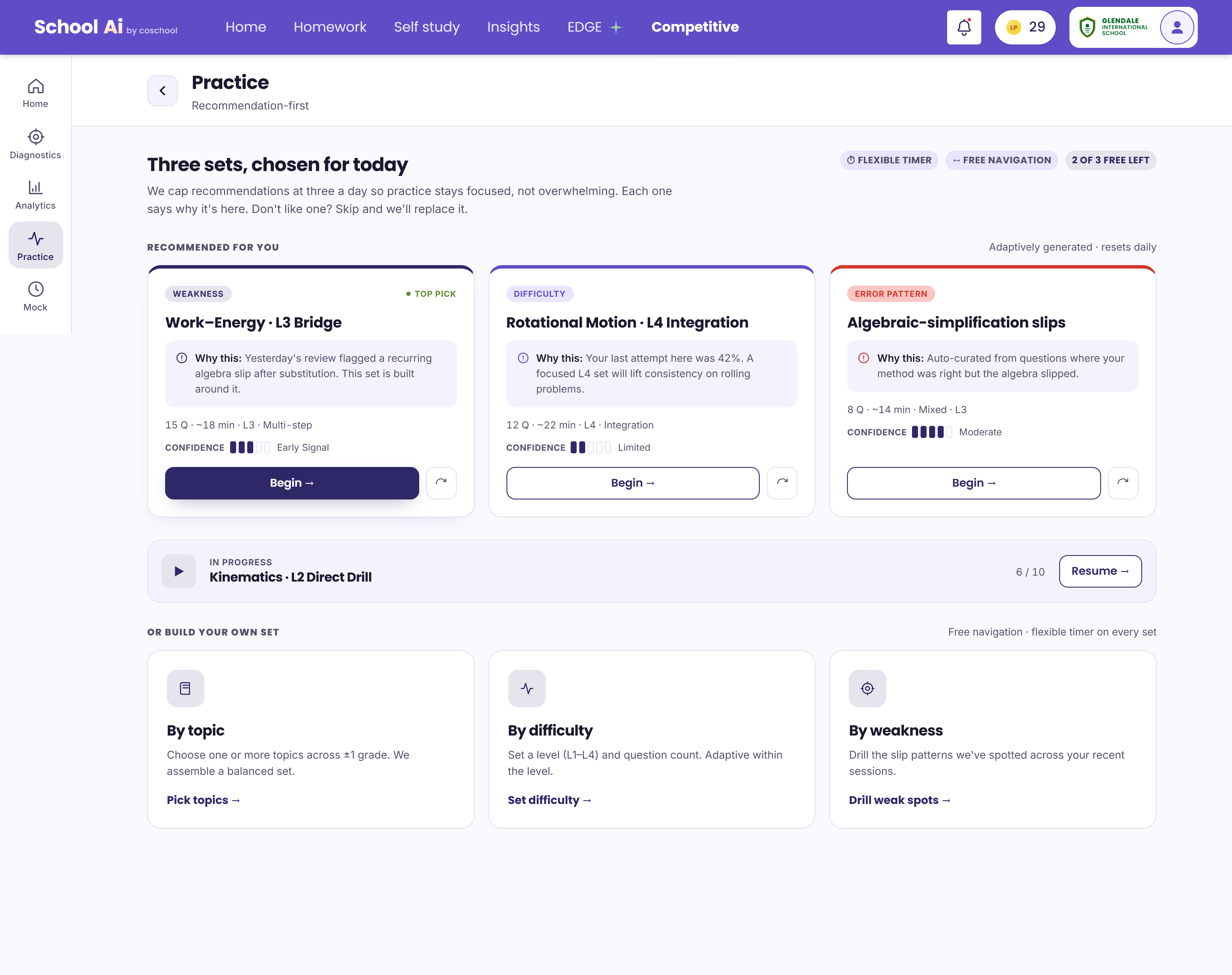
Practice is recommendation-first: three sets explain why they are relevant, using a weakness, a difficulty step or an error pattern as the cue. Students can also build their own set by topic, difficulty or weakness. That keeps a clear suggested path without removing choice.
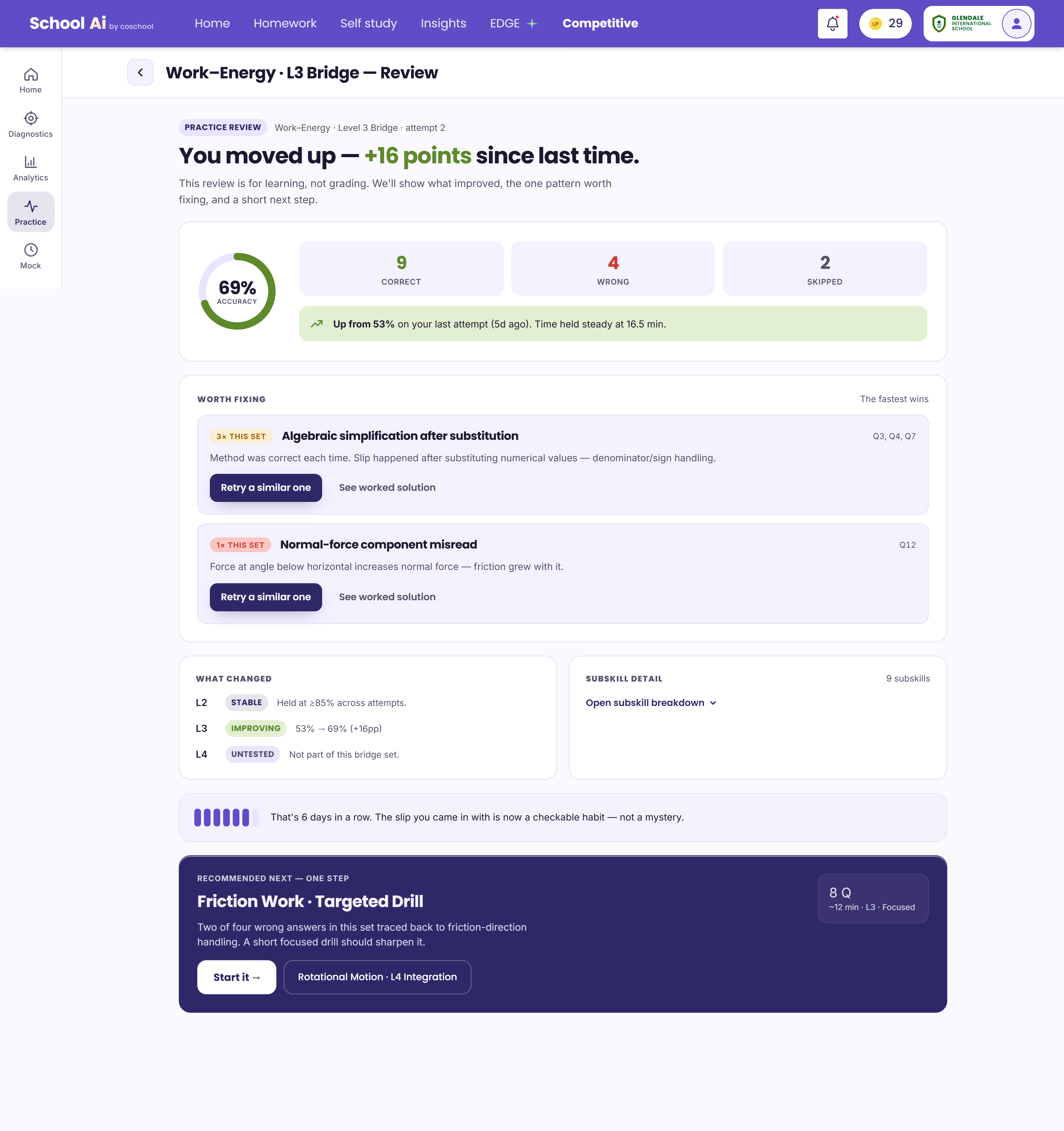
The review screen makes an attempt actionable: it surfaces what to fix, a change in performance, and one recommended next drill. Those numbers and student examples are illustrative content in the design, not measured outcomes from this pilot.
Turn assessment into direction
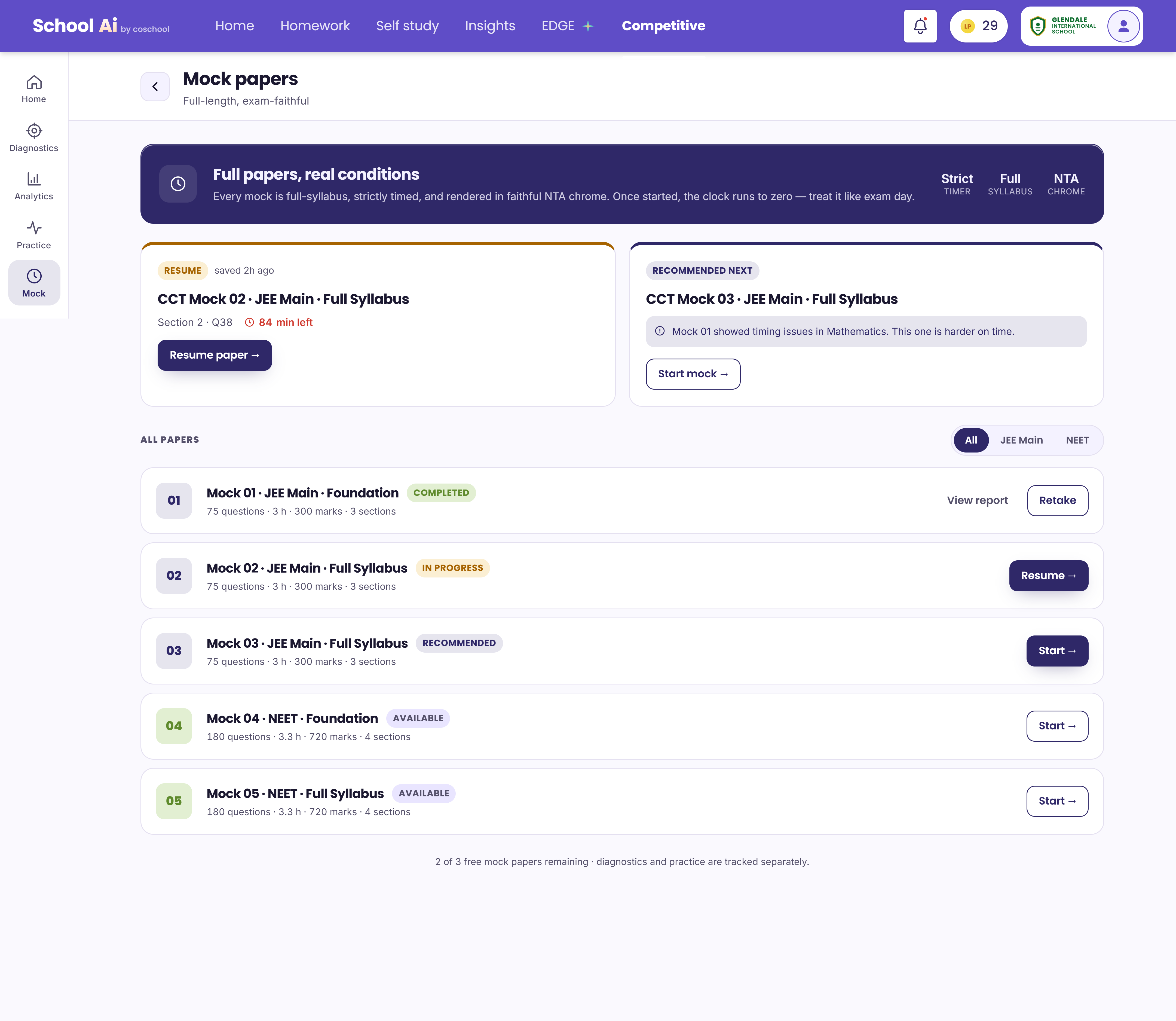
The mock-paper selection screen distinguishes completed, in-progress, recommended and available papers. It presents full-paper conditions as a separate mode from flexible practice, with routes to resume, begin or inspect a report.
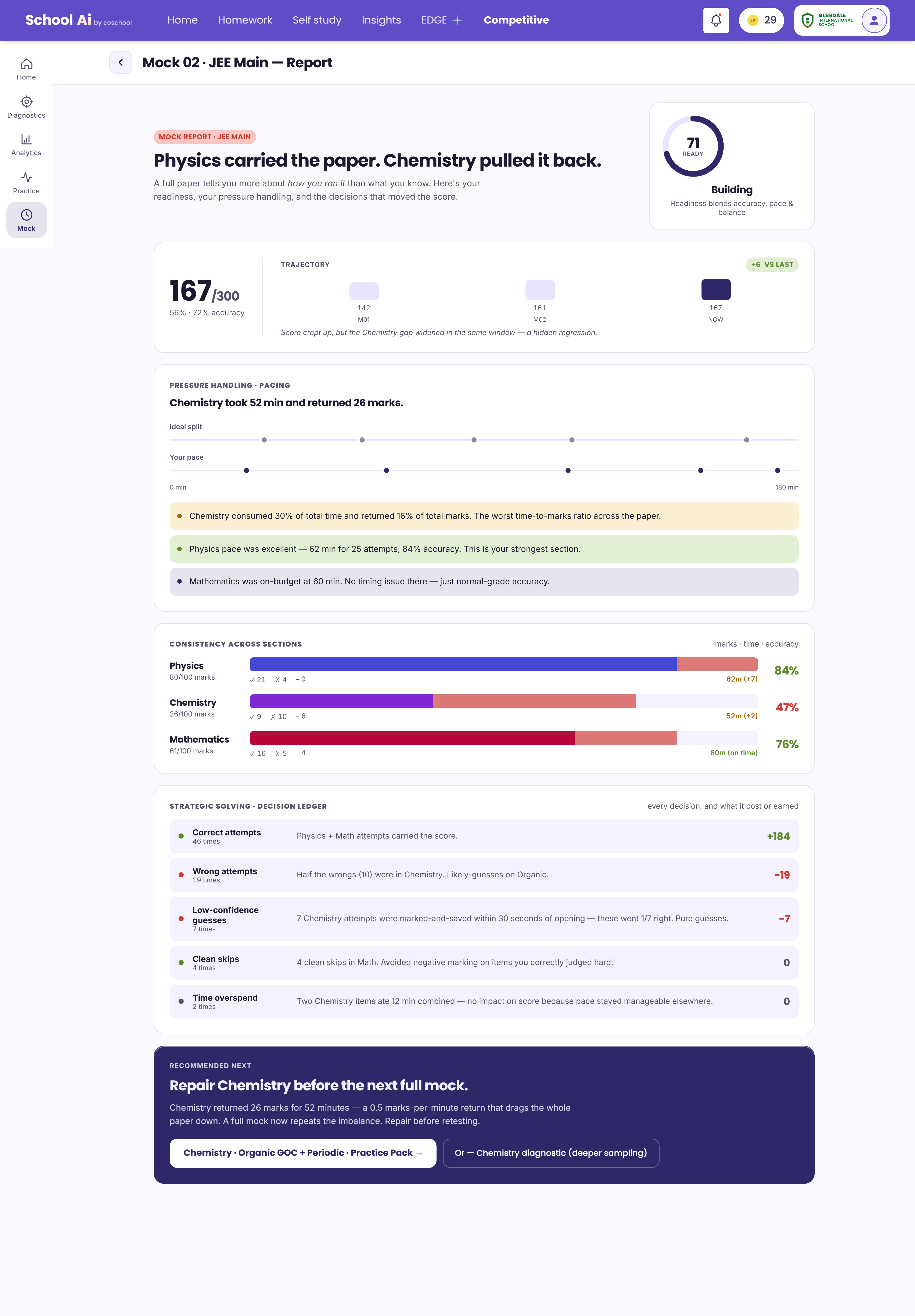
The report reframes a score as a diagnosis of pacing, consistency across subjects and decisions made under exam conditions. It ends with a suggested Chemistry practice path before another full mock. The figures in the report are fictional prototype data, not pilot results.
Keep the loop moving
A one-time baseline starts the experience. From there, a student can learn an advanced idea, practise it, assess it under mock conditions and return to a more informed next step. The dashboard is the place where those signals are intended to become a manageable choice, not another report to decipher.
This is an experience model proposed in the pilot, not a verified behaviour sequence.
Learning Loop
Understand → Identify gaps → Learn → Practice → Assess → Continue
AI as learning support
The concept includes an AI-assisted layer to help students work through advanced concepts where specialist support may be scarce. In the intended model, assistance should help the learner understand a difficult idea and return to practice, rather than replace the learner's own reasoning.
Designing before building
Claude Design was the prototyping medium for exploring the relationship between dashboard guidance, practice, mocks and reports before engineering investment. These screens show a design direction; they do not represent implemented behaviour, validation or launch.
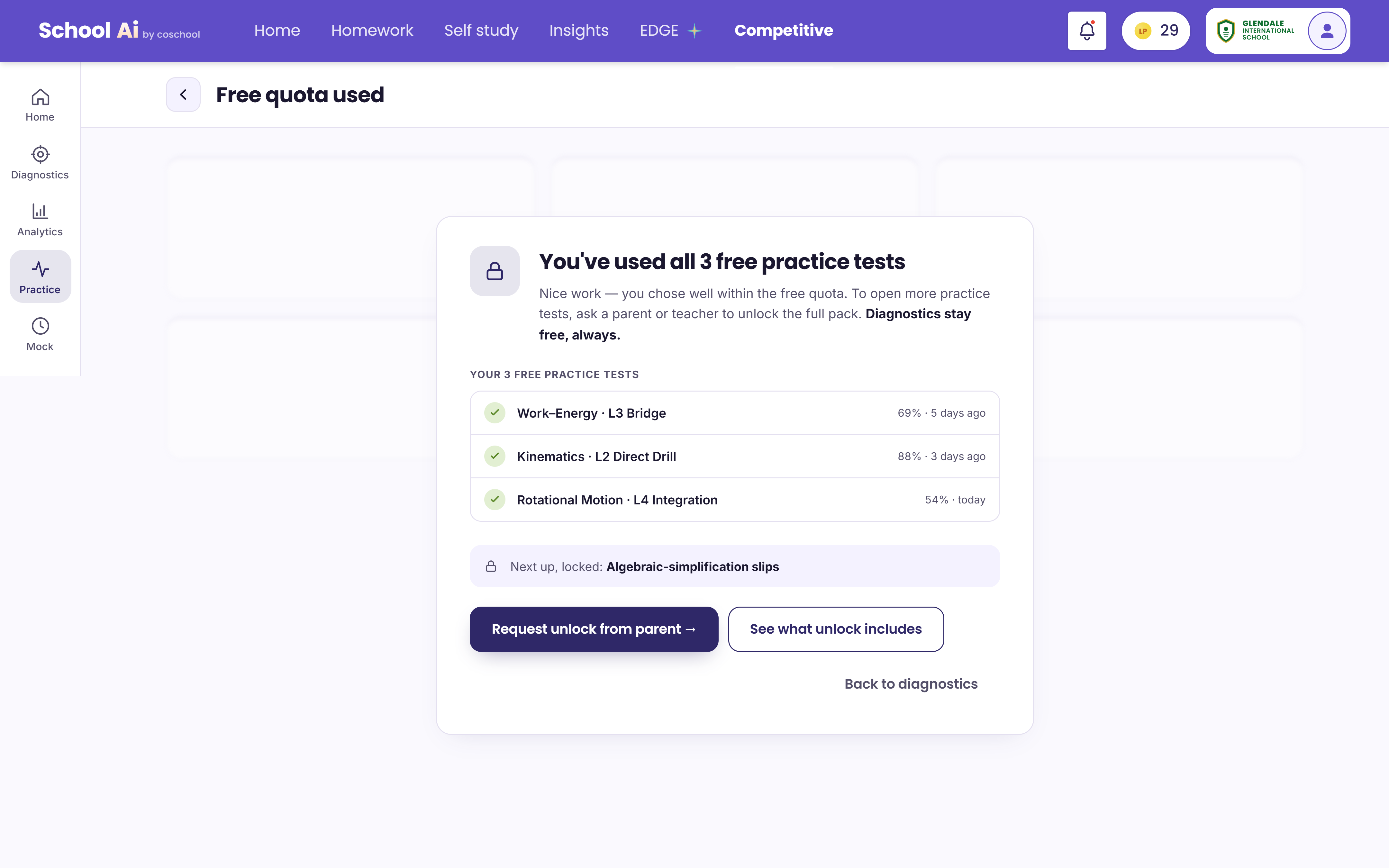
The access-limit screen explores what happens after the free practice quota is used. It keeps a route back to diagnostics visible. This is a prototype state, not evidence of a commercial policy or shipped paywall.
What the pilot helped explore
The work framed three design questions: how to balance open exploration with one useful recommendation; how to connect practice feedback to exam-like assessment; and how to show ability, confidence and performance without collapsing them into a single score.
These are product and UX questions surfaced by the exploration, not validated findings or measured impact.