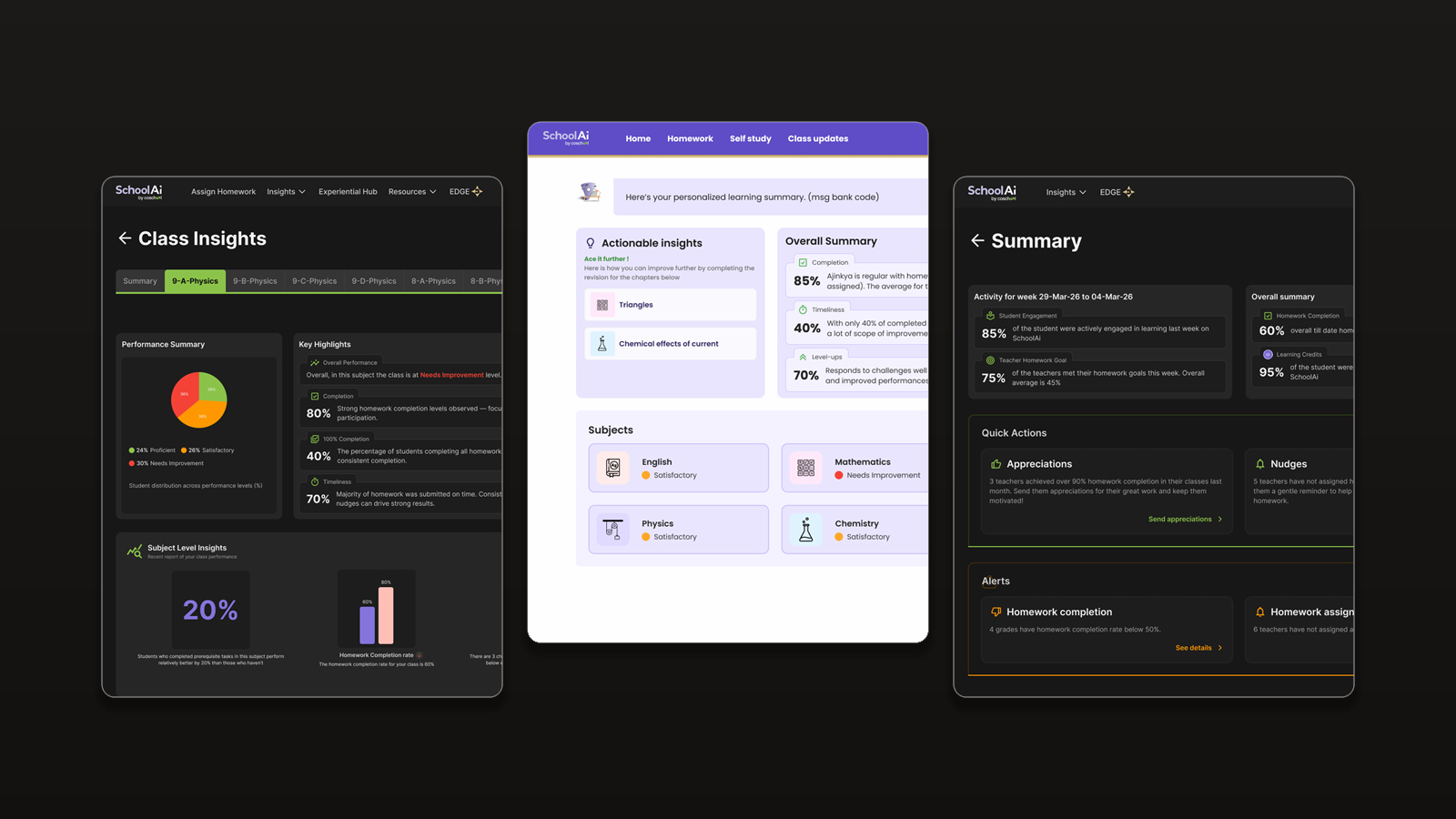
SchoolAI Insights
Turning shared learning data into useful, role-specific insights for teachers, students, and parents.
We had the data, but not the right experience around it
SchoolAI already generated valuable data around homework, student performance, subject proficiency, learning gaps and errors. But the existing Teacher Insights experience was primarily homework-focused. Information was difficult to process quickly, and teachers had to interpret the page before knowing what required attention.
Students and parents had no dedicated Insights experience. Students lacked a central place to understand progress and what to work on next; parents depended heavily on teachers and schools for updates. The opportunity was to turn existing data into an actionable learning experience, rather than simply another dashboard.
Teachers
Quickly identify students, subjects and learning areas that need attention.
Students
Understand personal progress, learning gaps and useful next steps.
Parents
Follow a child's progress and recognise where additional support may help.
One source of learning data. Three different perspectives.
Rather than designing three independent dashboards, I approached Insights as a shared system. The same underlying student data could be interpreted differently depending on the user's role.
Teacher · Monitor
Track class and homework performance, identify patterns, then investigate where intervention may be required.
Student · Improve
Understand personal performance, identify gaps and find a useful next action.
Parent · Support
Follow a child's progress and understand where additional support may be needed.
Structure the journey from broad to specific
The data was highly interconnected. A teacher could begin with a class, move into a subject, identify a weak chapter, investigate a subtopic and eventually inspect individual incorrect answers. A student could follow a similar path through their own performance.
The hierarchy supports progressive movement from ‘What is happening?’ to ‘Why is it happening?’ without exposing every layer at once.
Information Hierarchy
Overview → Subject → Chapter → Subtopic → Questions / errors
The same data should answer different questions
One of the biggest decisions was moving away from a single dashboard structure. Each experience instead began with the question that person was trying to answer. This shifted the design from data presentation to task-oriented exploration.
How is my class performing?
Teachers move from class health to students, subjects, chapters and common errors that need attention.
How am I performing?
Students move from progress to gaps, concepts to improve and recommendations for what to do next.
How is my child progressing?
Parents see progress, subjects requiring attention, learning gaps and where support may be useful.
A teacher's view depends on what they are responsible for
A subject teacher, class teacher and principal can look at the same school data but have different responsibilities. The interface adapted the scope of information while maintaining one underlying design language and interaction model.
Subject Teacher
Class + subject: subject performance, chapter and subtopic gaps, common errors and student-level analysis.
Class Teacher
Class + multiple subjects: overall academic health, subject comparison, students needing attention and cross-subject gaps.
Principal
School + class overview: broader trends, class comparisons, subject patterns and areas requiring intervention.
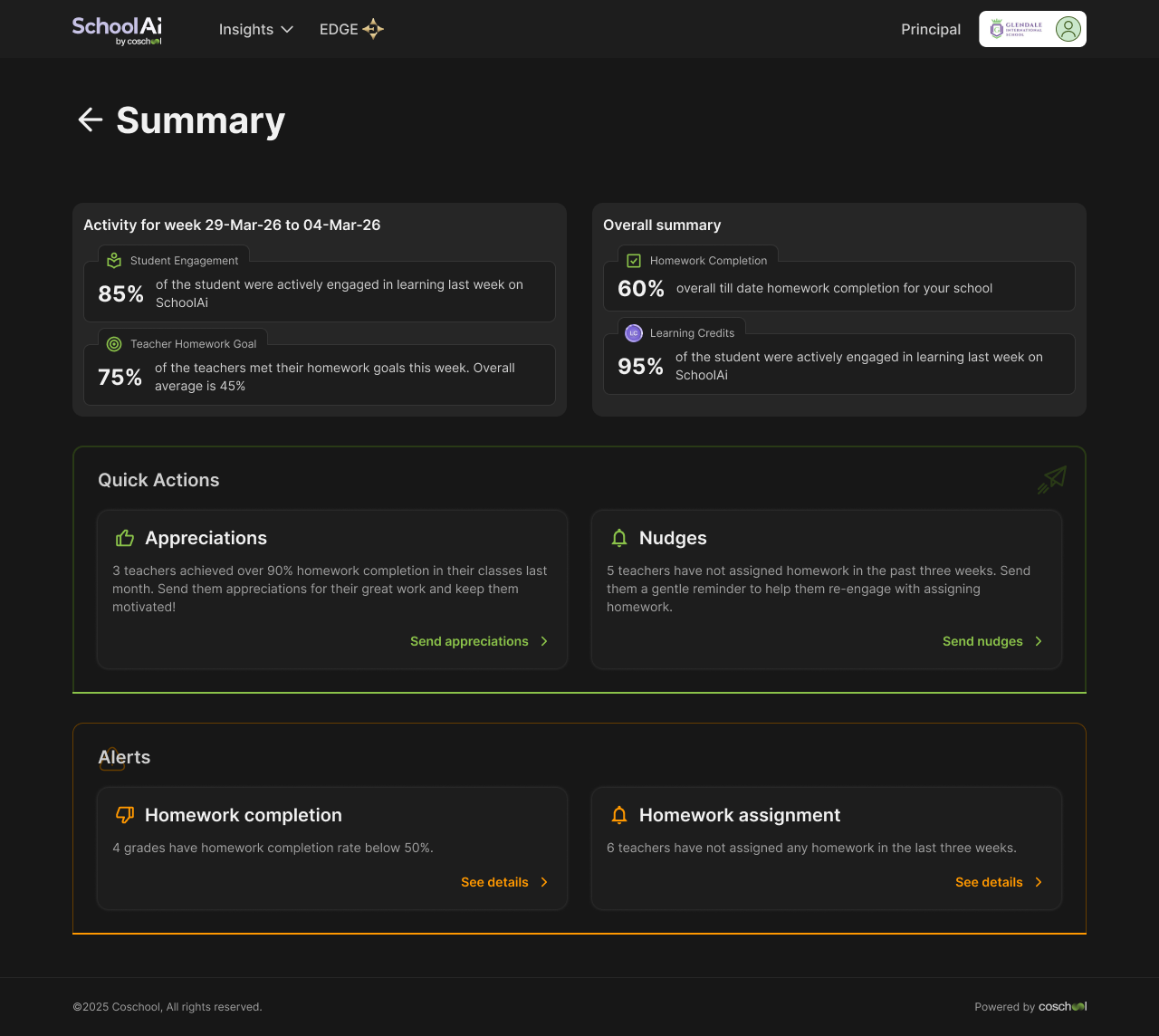
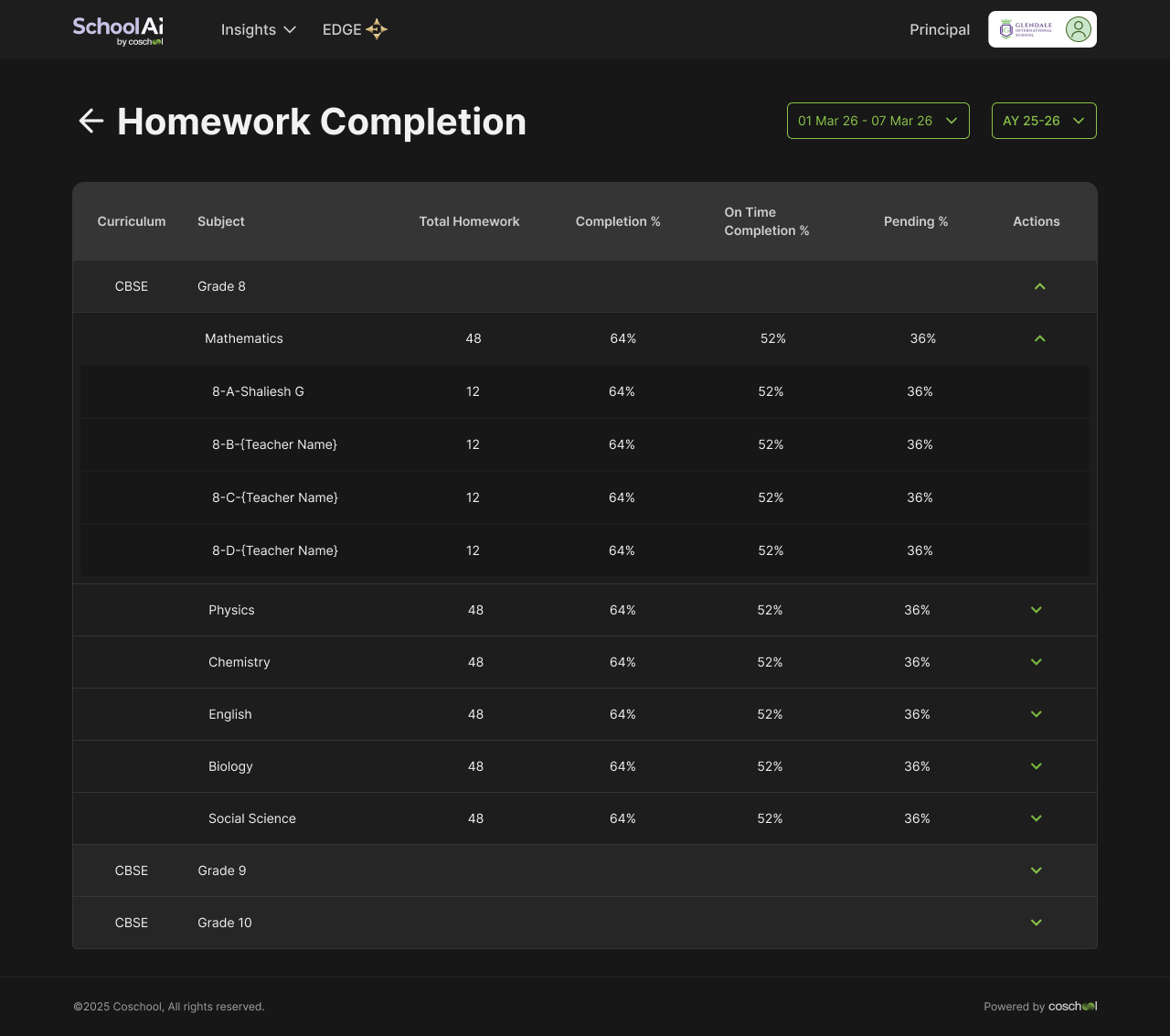
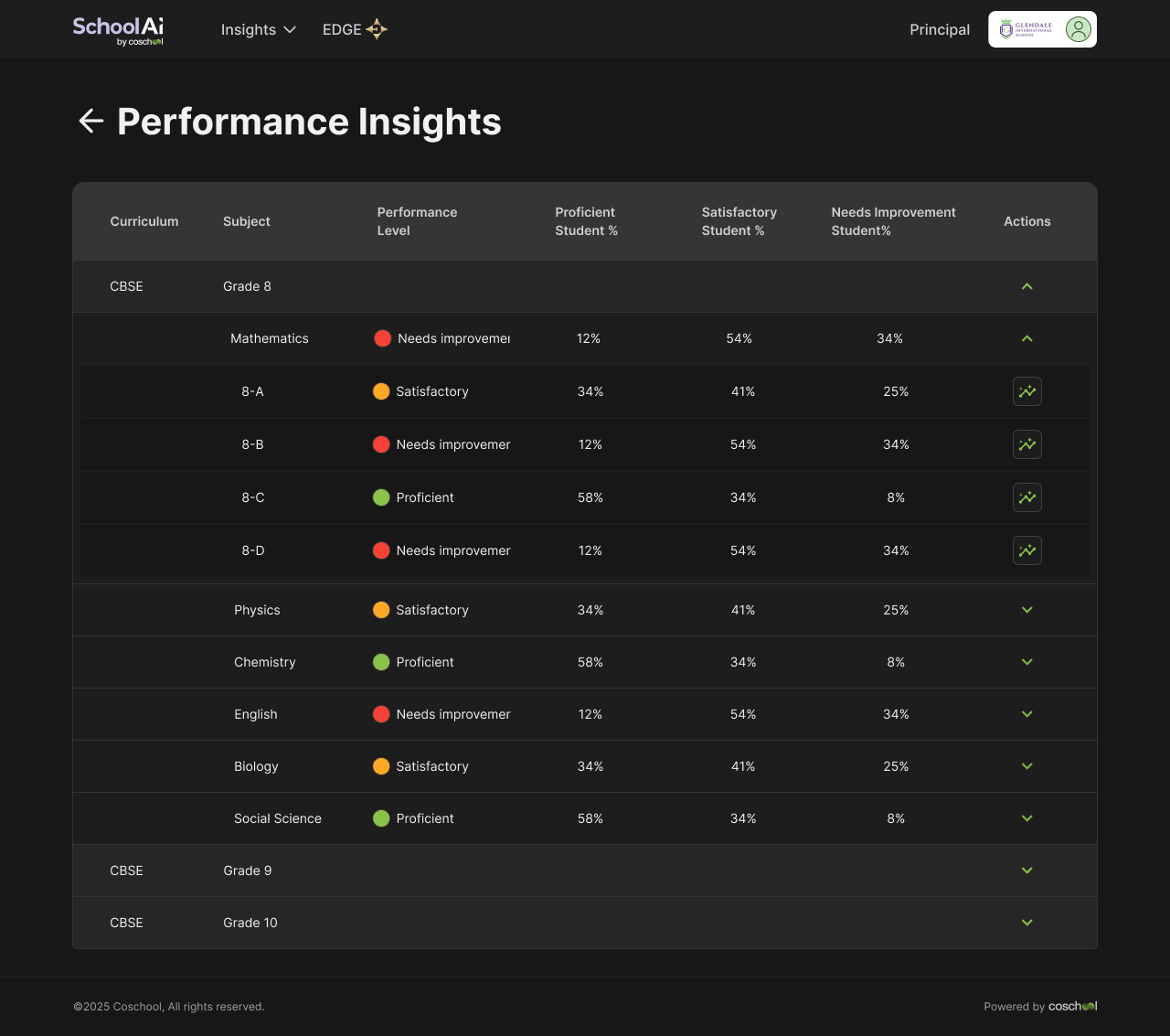
From homework data to actionable class intelligence
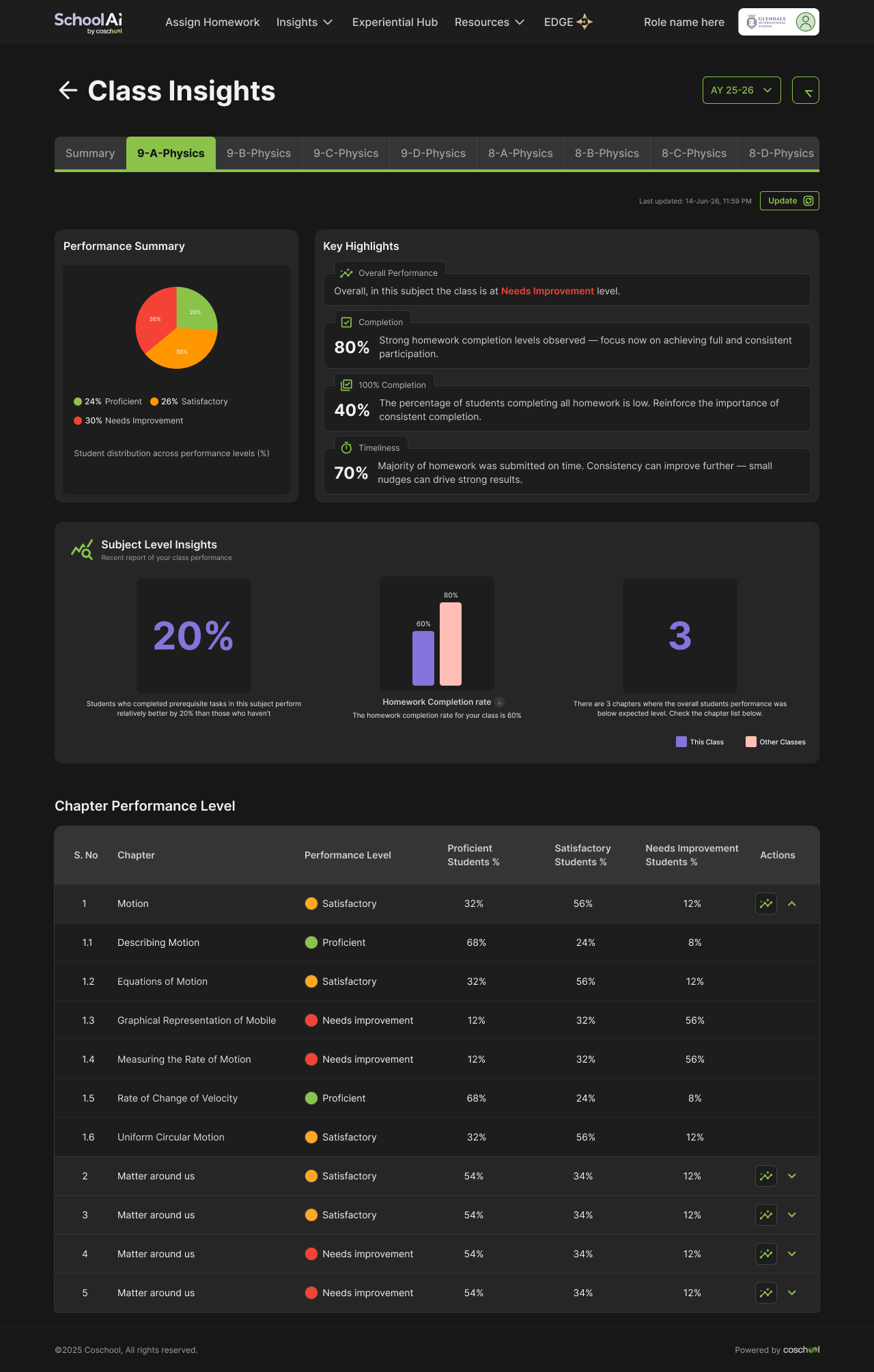
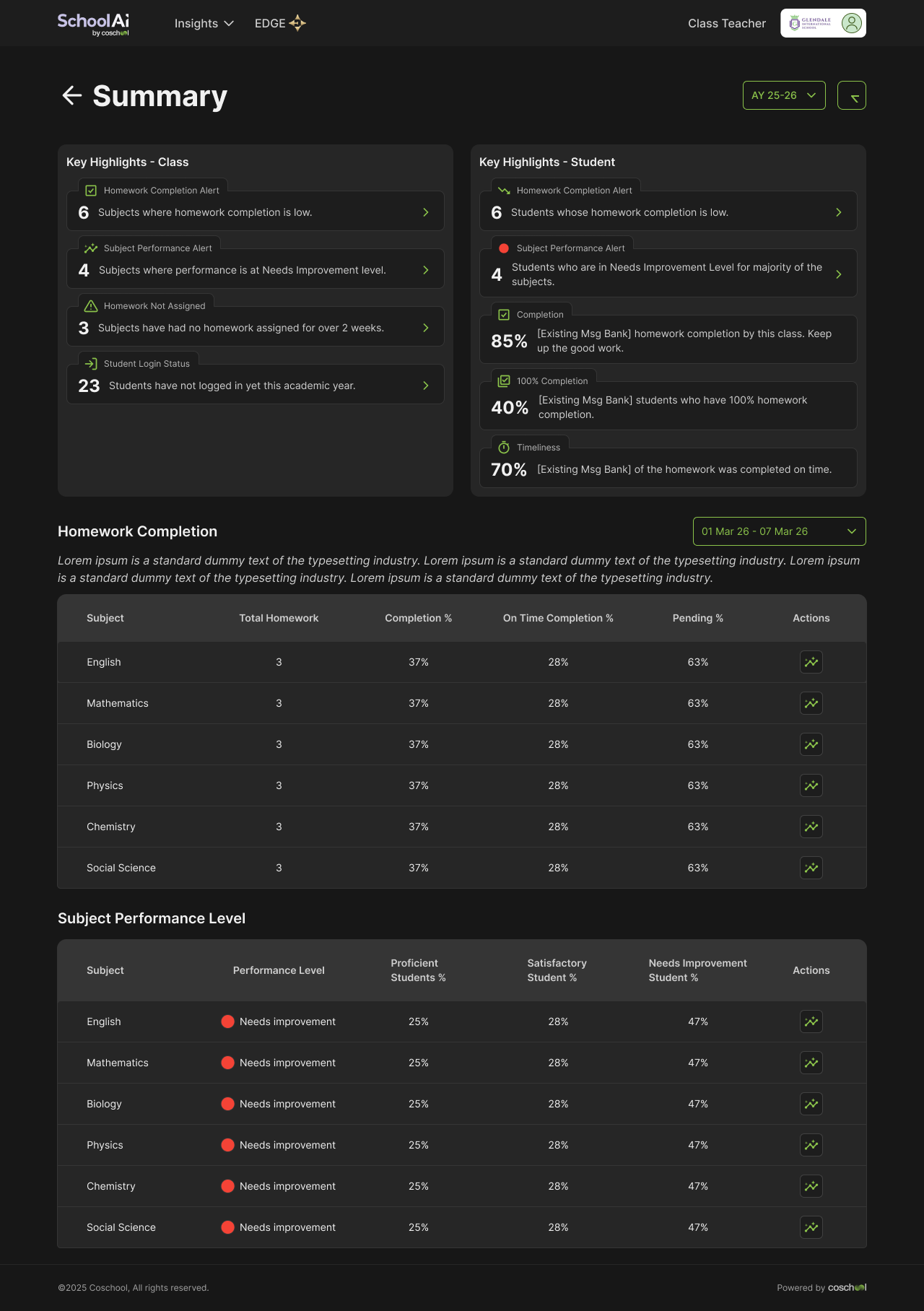
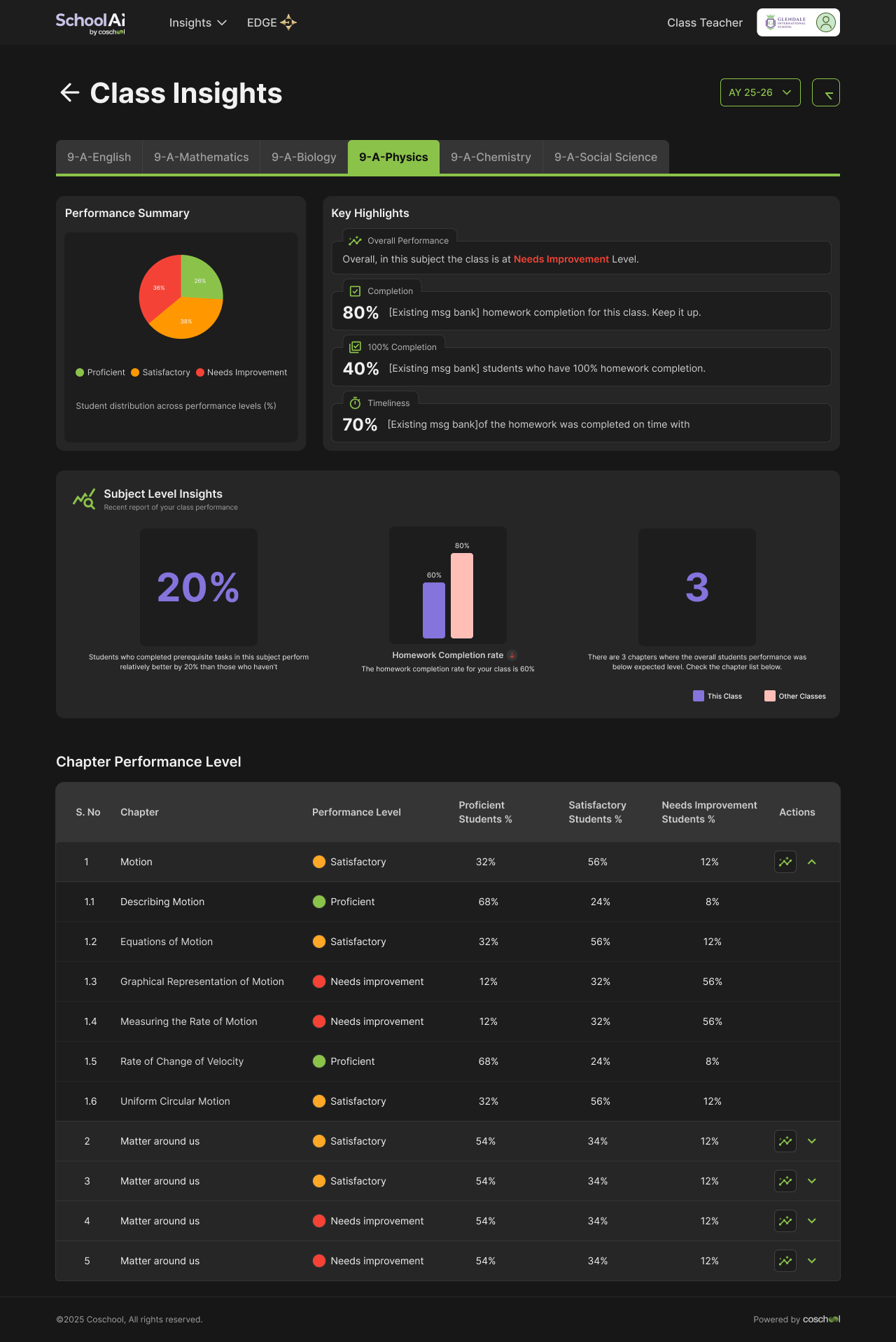
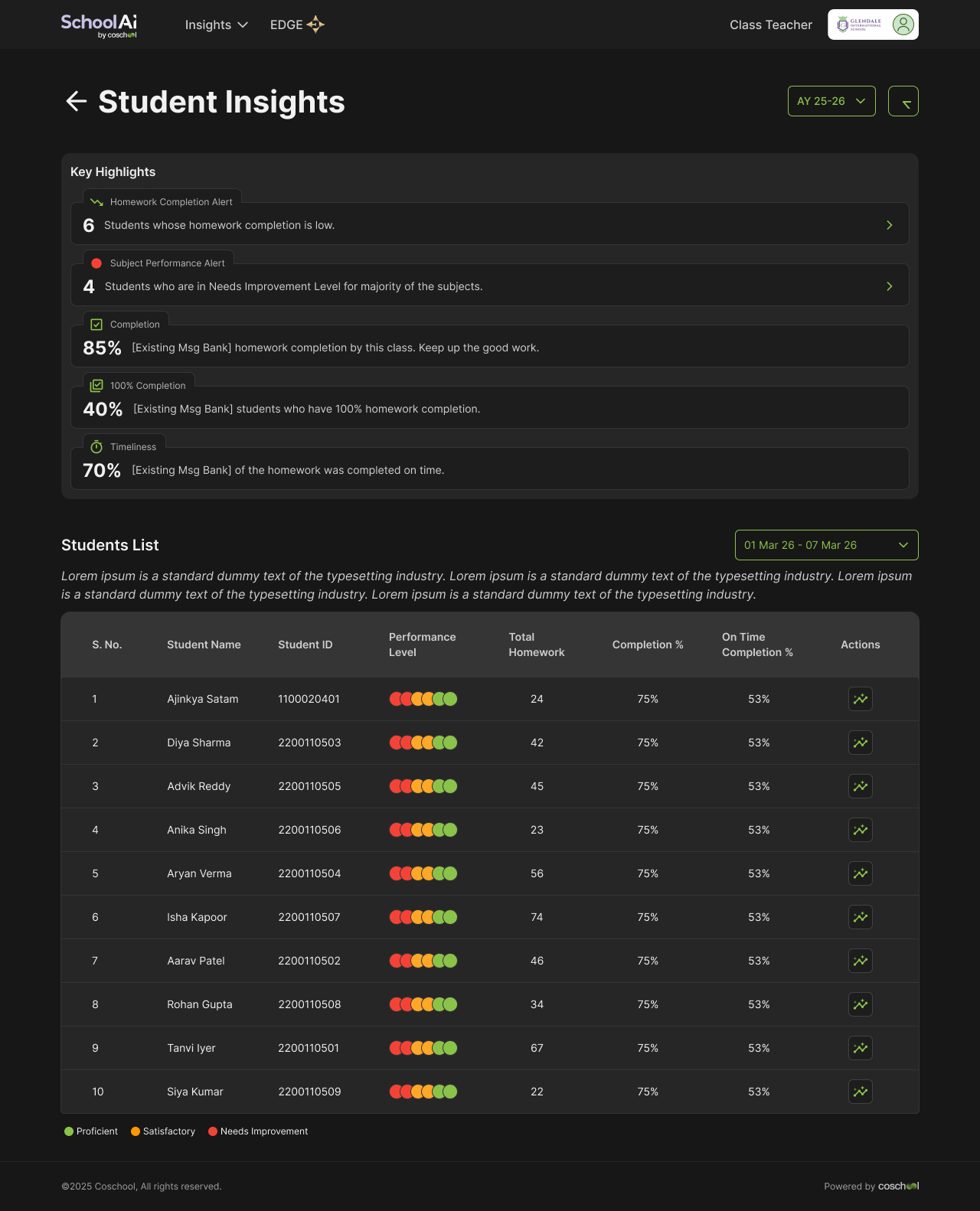
The redesign expanded the original homework-focused view into a broader understanding of class and student performance. Teachers could move from a high-level overview into the specific areas requiring attention without beginning in a dense data table.
Before
Homework data → large amounts of information → manual interpretation.
After
Performance overview → highlights → investigation → actionable detail.
Teacher Drill-down
Class → Subject → Chapter → Subtopic → Common errors → Student details
Turn performance data into a learning tool
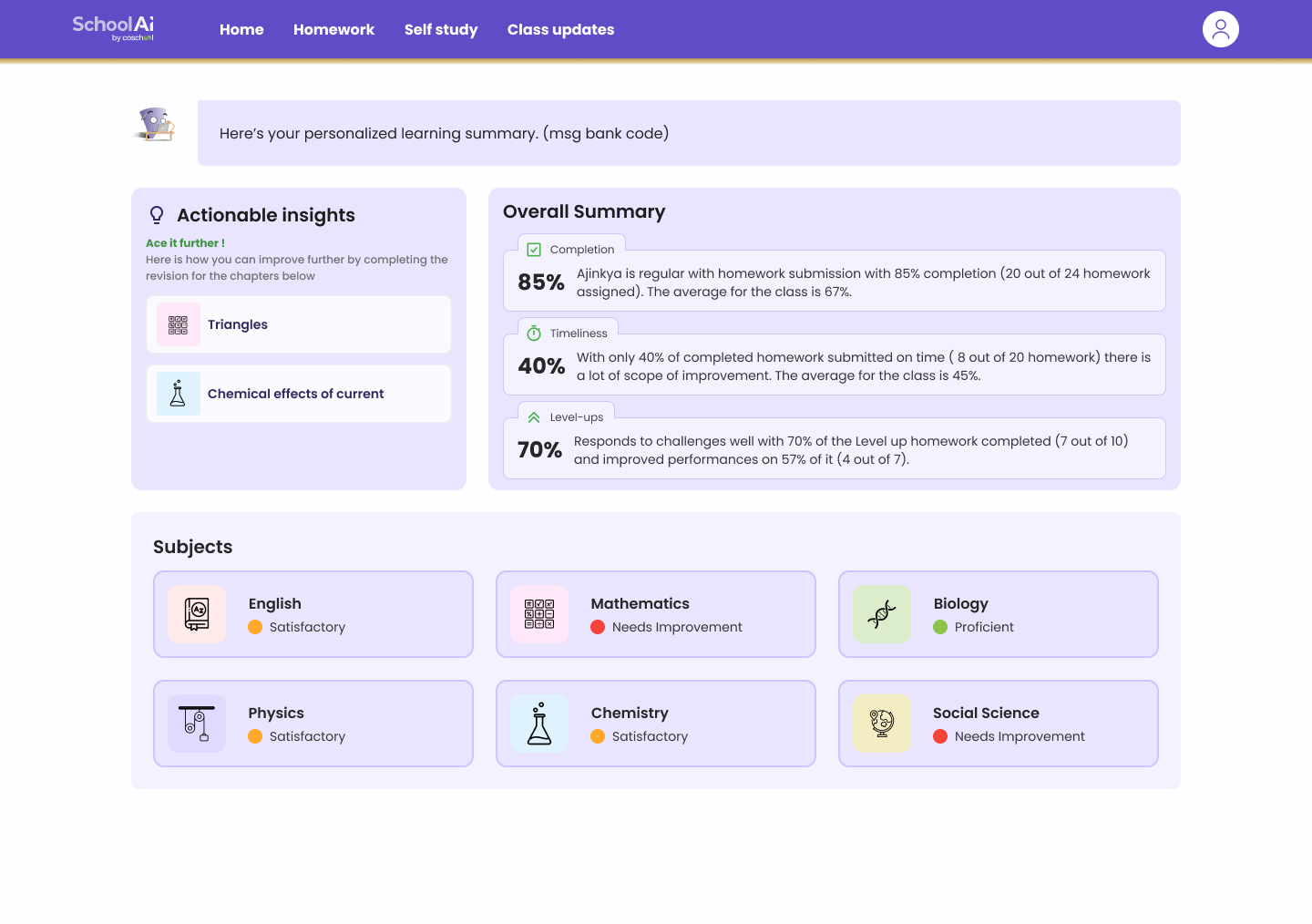
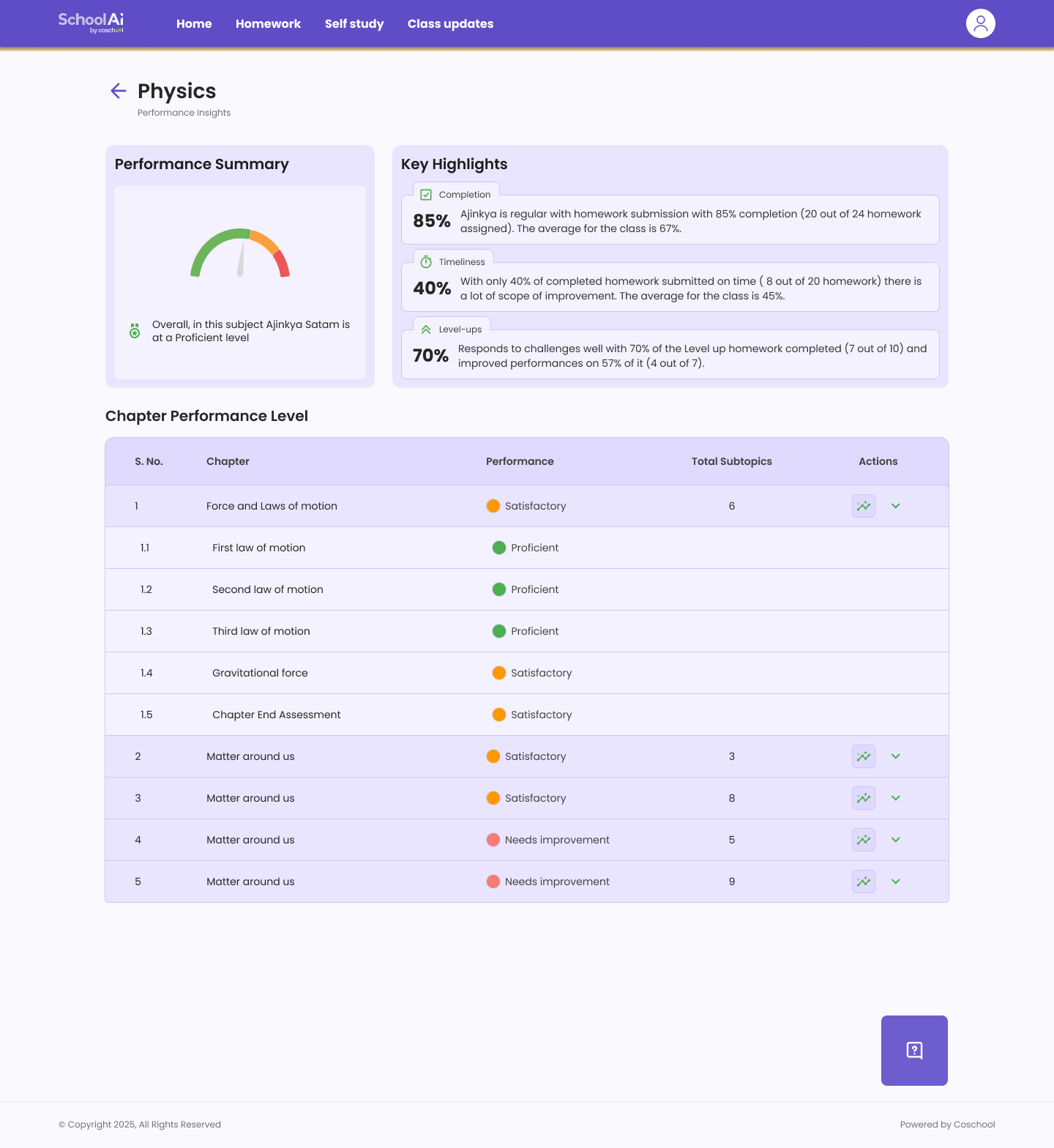
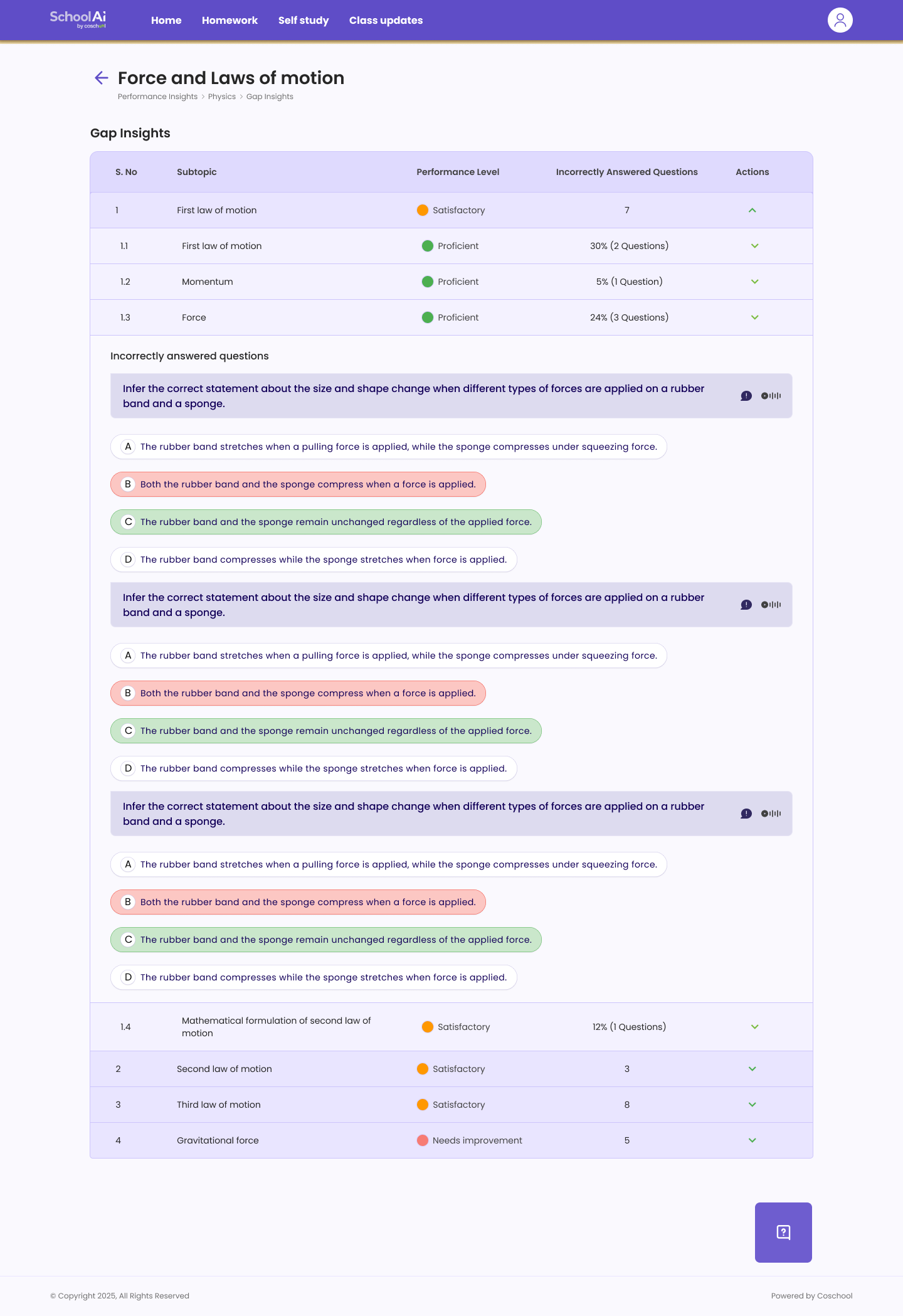
Student Insights was designed from scratch. Students were not monitoring other people; they needed to understand themselves. The experience focused on how they were doing, where they were struggling and what they could work on next.
The design connected reporting to potential next actions through a path from subject and chapter to a specific learning gap and recommendation.
Student Path
Student → Subject → Chapter → Subtopic → Learning gap → Recommendation
Give parents visibility without adding communication burden
Parent Insights created a direct view into a child's learning journey. The goal was not to expose every metric available to teachers, but to surface overall progress, subject performance, areas requiring attention, learning gaps and change over time.
This let parents understand academic performance without needing to follow up individually with multiple teachers.
Show what matters first. Let users investigate the rest.
Not every piece of learning data needed to be visible at the same time. Each level was designed to answer a progressively deeper question while retaining access to the detail beneath it.
Five Levels of Disclosure
Overview · What is happening? → Highlights · What needs attention? → Breakdown · Where is the problem? → Investigation · Why is it happening? → Action · What should happen next?
Every metric needed to earn its place
The hardest part was not creating individual screens; it was deciding which information belonged at each level. For every view, I evaluated the user's question, the information needed immediately, the context that must stay visible, what could be progressively revealed and which action understanding should enable.
Because the data was interconnected, changing one part of the structure could affect navigation, tables and drill-downs elsewhere. The work required repeated iteration across information architecture, metric prioritisation and role-based views.
Immediate answer
Prioritise the minimum information that answers the user's current question.
Persistent context
Keep enough context visible as users move between classes, subjects and learning areas.
Deeper investigation
Reveal tables, errors and response detail only when they help explain the pattern.
Action after insight
Ensure that understanding the data leads toward a useful decision or next step.
The complexity was in the system, not the screens
The experience had to work with existing backend and API structures rather than assuming entirely new data models. The same student data also needed to serve students, parents, subject teachers, class teachers and school leadership at different levels of detail.
The work stayed within the existing SchoolAI design system while introducing patterns for dense, interconnected data. A decision in one view could affect navigation, tables and drill-downs elsewhere, so structuring and validating the experience came before visual execution.
Insights became a more useful part of the learning platform
The redesigned Insights system launched across Teacher and Student experiences, with Parent Insights extending visibility of student progress to families.
Principals requested additional dashboard capabilities following launch, indicating demand for broader school-level visibility.
Good data experiences are designed before they are visualised
This project reinforced that data-heavy products are rarely solved by simply improving the UI. The important work happened in sequence: understanding the user, structuring the data, defining the hierarchy, designing the flow, and only then designing the interface.
The same dataset can feel overwhelming, useful or actionable depending on how it is structured around intent. The goal was not to show less data, but to make the right data easier to understand, navigate and act on.
Good learning insights don't just tell users what happened. They help users understand what to do next.